

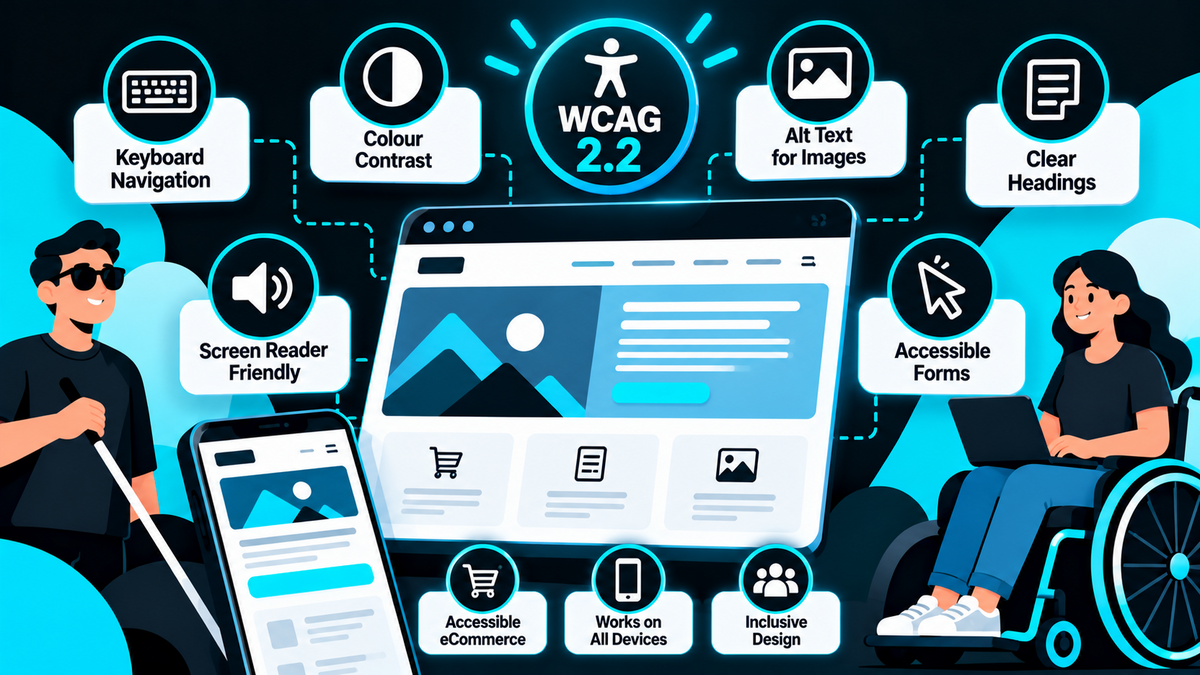
Website Accessibility: What Should UK Businesses Know?
When businesses invest in a new website, they often focus on design, functionality, SEO and generating enquiries.
However, there's another important consideration that shouldn't be overlooked.
Can everyone actually use your website?
Website accessibility is about making sure people with disabilities can access, understand and interact with your website as effectively as possible.
This includes people with visual, hearing, physical, cognitive and neurological disabilities.
For example, someone might use a screen reader to navigate your website, rely on a keyboard instead of a mouse or need clearer text and stronger colour contrast to read your content.
If your website isn't designed with these users in mind, you could be unintentionally preventing potential customers from accessing your products or services.
Accessibility isn't just about meeting technical standards. It's also about creating a better experience for everyone.
In this guide, we'll explain what website accessibility means, what UK businesses should know about their responsibilities and how to make a website more accessible.
1. What Is Website Accessibility?
Website accessibility means designing and developing websites so that people with different abilities can use them.
An accessible website should allow visitors to:
- Read and understand information
- Navigate between pages
- Use menus and buttons
- Complete contact forms
- Access images and multimedia
- Purchase products
- Use the website with assistive technology
For example, someone who cannot use a mouse should still be able to navigate your website using a keyboard.
Someone with a visual impairment may need to use a screen reader that reads page content aloud.
A person with colour vision deficiency may struggle if important information is communicated using colour alone.
Accessibility considers these different requirements throughout the website design and development process.
2. Why Is Website Accessibility Important?
Accessibility is important for several reasons.
It helps more people use your website
A website that's difficult to navigate can exclude potential customers.
Improving accessibility makes your website more usable for people with different needs.
It can improve the overall user experience
Many accessibility improvements benefit everyone.
Clear navigation, readable text, well-labelled forms and logical page structures make websites easier to use.
It supports your business reputation
Businesses that take accessibility seriously demonstrate consideration for their customers.
This can be particularly important for public-facing organisations, charities, healthcare providers and professional services businesses.
It helps address legal responsibilities
UK businesses providing services to the public need to consider their responsibilities under equality legislation.
Accessibility can be an important part of meeting those obligations.
It can support better website quality
Accessible websites often use clear headings, meaningful links and well-structured content.
These practices can also support usability and technical SEO, although accessibility compliance doesn't automatically improve Google rankings.
3. Is Website Accessibility a Legal Requirement in the UK?
This is one of the most important questions for businesses.
In Great Britain, the Equality Act 2010 places duties on service providers to avoid discrimination against disabled people and to make reasonable adjustments.
These responsibilities can apply to services provided through websites.
However, the law doesn't simply state that every private-sector business website must achieve a particular WCAG score.
What constitutes a reasonable adjustment depends on the circumstances.
For example, a business providing online booking or purchasing facilities should consider whether disabled customers can access those services.
Public sector organisations are also subject to more specific accessibility requirements under the Public Sector Bodies (Websites and Mobile Applications) (No. 2) Accessibility Regulations 2018.
These regulations generally require covered public sector websites to meet applicable accessibility standards and publish an accessibility statement, subject to relevant exceptions.
Northern Ireland has its own disability discrimination framework, so businesses operating across the UK should consider the legislation relevant to their activities.
Our advice: Accessibility should be treated as an important part of website planning, rather than something to consider only after a complaint.
For specific legal obligations, businesses should obtain appropriate legal advice.
4. What Are WCAG Accessibility Guidelines?
WCAG stands for Web Content Accessibility Guidelines.
These guidelines are developed by the World Wide Web Consortium (W3C) and provide internationally recognised recommendations for making web content more accessible.
WCAG is organised around four main principles.
Perceivable
Users must be able to perceive the information being presented.
For example, images should have appropriate text alternatives, and important content shouldn't rely entirely on colour.
Operable
Users must be able to operate the website.
For example, navigation and interactive features should work using a keyboard.
Understandable
Information and functionality should be understandable.
This includes clear instructions, consistent navigation and helpful form error messages.
Robust
Content should work reliably with different browsers, devices and assistive technologies.
Together, these principles provide a framework for accessible website design and development.
5. What Is WCAG 2.2?
WCAG 2.2 is a version of the Web Content Accessibility Guidelines published in 2023.
It builds on previous versions and includes additional success criteria designed to improve accessibility.
WCAG uses three levels of conformance:
Level A: Foundational accessibility requirements
Level AA: Additional requirements commonly used as a practical accessibility target
Level AAA: More demanding requirements that may not be achievable for every type of content
For many website projects, WCAG 2.2 Level AA is a sensible target to discuss during planning.
However, businesses should distinguish between following WCAG as a recommended standard and meeting a specific legal or contractual requirement.
For example, some public sector requirements refer to standards based on WCAG 2.1 AA, while newer projects may choose to work towards WCAG 2.2 AA.
The applicable requirement should be checked for each project.
6. Make Sure Your Website Can Be Used Without a Mouse
One common accessibility problem is a website that only works properly when using a mouse.
Some users rely on keyboards, switch devices or other assistive technology.
Your website should allow visitors to navigate important functionality using the keyboard.
For example, users should be able to:
- Move through navigation links
- Open and use menus
- Select buttons
- Complete forms
- Access important interactive content
- Navigate through checkout
Keyboard focus should also be visible.
This means users can clearly see which link, button or form field is currently selected.
A useful starting test is to open your website and try navigating it using the Tab, Shift+Tab, Enter and arrow keys.
If important functionality becomes inaccessible, the website may need attention.
7. Use Clear Colour Contrast
Colour contrast is another important accessibility consideration.
For example, light grey text on a white background might look modern, but it can be difficult for some visitors to read.
WCAG Level AA generally requires a contrast ratio of at least 4.5:1 for normal text and 3:1 for qualifying large text, subject to exceptions.
This doesn't mean your website needs to use plain black text on a white background.
You can still create an attractive, distinctive design while choosing accessible colour combinations.
At West Midlands Media, we believe accessibility should be considered during the initial design stage.
It's much easier to select suitable colours in Figma than to redesign an entire website after development.
8. Add Appropriate Alternative Text to Images
Alternative text, often called alt text, provides a text alternative for images.
This is particularly useful for people using screen readers.
For example, an image showing an industrial gate installation might use:
"Black powder-coated steel driveway gates installed at a commercial property."
This provides meaningful information about the image.
However, not every image needs a lengthy description.
Decorative images that don't convey important information should generally use empty alternative text so assistive technology can ignore them.
Avoid filling alt text with unnecessary keywords.
The objective is accessibility, not keyword stuffing.
9. Use Proper Headings and Page Structure
Headings help organise website content.
They make pages easier to scan and can help screen reader users navigate between sections.
A well-structured page should normally have a clear primary heading followed by logical subheadings.
For example:
H1: Commercial Electrical Services
H2: Electrical Installations
H2: Testing and Inspection
H2: Planned Maintenance
H2: Request a Quotation
Avoid using heading elements purely to make text appear larger.
Headings should reflect the structure of the content.
This is particularly important for larger service pages, product information and technical articles.
10. Make Contact Forms Accessible
Contact forms are one of the most important elements of a business website.
If someone can't complete your enquiry form, you could lose a potential customer.
Common accessibility problems include:
- Form fields without proper labels
- Instructions that are difficult to understand
- Error messages that aren't clearly explained
- Poor keyboard navigation
- Low-contrast form elements
- Time limits that are too restrictive
- CAPTCHA challenges that some users cannot complete
A good contact form should clearly explain what information is required.
If someone makes a mistake, the website should identify the problem and explain how to correct it.
For example, rather than displaying a generic error message, you could use:
"Please enter a valid email address."
Forms should also be tested with keyboards and assistive technology.
11. Don't Forget About eCommerce Accessibility
Accessibility is particularly important for online stores.
A customer might successfully browse your products but encounter problems when trying to complete a purchase.
For WooCommerce websites, important areas to review include:
- Product navigation
- Product variation selectors
- Quantity controls
- Add-to-basket buttons
- Basket updates
- Checkout forms
- Payment methods
- Error messages
- Order confirmation pages
For example, a customer using a keyboard should be able to select a product variation, add the item to their basket and complete checkout.
Product information should also be clear and understandable.
For businesses operating B2B eCommerce websites, accessibility should extend to trade account areas, quotation forms and customer-specific ordering functionality.
12. Make Videos and Multimedia Accessible
If your website includes video content, accessibility should also be considered.
For example, videos containing speech should generally include accurate captions.
Captions help people who are deaf or hard of hearing understand the content.
They can also be useful for visitors watching videos without sound.
Where important visual information isn't explained through the audio, audio description or another suitable alternative may be needed.
For example, a product demonstration video might show a technical process that isn't fully explained by the narration.
Providing accessible alternatives can help more visitors understand the information.
13. Avoid Unnecessary Animations and Moving Content
Animations can make websites more visually engaging.
However, excessive movement can cause problems for some users.
For example, rapidly moving content, flashing effects and animations that can't be paused may make a website difficult to use.
Where appropriate, websites should respect reduced-motion preferences.
Interactive elements should also avoid unexpected movement that makes them difficult to select.
The objective isn't to remove every animation.
It's to use movement carefully and make sure it doesn't interfere with accessibility.
14. Accessibility and SEO: Do They Work Together?
Accessibility and SEO are different disciplines, but there is some overlap.
For example, both can benefit from:
- Clear heading structures
- Descriptive links
- Useful content
- Logical navigation
- Mobile-friendly layouts
- Well-organised pages
- Appropriate image descriptions
However, accessibility shouldn't be presented simply as an SEO tactic.
A website doesn't automatically rank higher because it meets WCAG standards.
Similarly, a website that performs well in Google isn't necessarily accessible.
Both areas should be considered as part of developing a high-quality website.
15. How Can You Test Website Accessibility?
There are several ways to assess accessibility.
Automated testing tools can help identify common issues.
Examples include:
- WAVE Web Accessibility Evaluation Tool
- axe DevTools
- Lighthouse accessibility audits
- Accessibility testing features in development tools
These can identify problems such as missing labels, insufficient contrast and certain structural errors.
However, automated testing alone isn't enough.
Some accessibility problems can only be identified through manual testing.
For example, an automated tool might confirm that an image has alt text but cannot always determine whether that text is genuinely useful.
Manual testing should include:
- Keyboard navigation
- Screen reader testing
- Form completion
- Mobile usability
- Content clarity
- Interactive elements
- Checkout processes
For more demanding projects, testing with disabled users can provide particularly valuable feedback.
Our advice: Treat automated accessibility scores as a starting point, not proof that a website is fully accessible.
16. Can WordPress Websites Be Accessible?
Yes.
WordPress can be used to build accessible websites.
However, accessibility depends on the theme, plugins, content and development approach.
For example, a WordPress website might use an accessible theme but introduce problems through a poorly developed navigation menu or third-party plugin.
Similarly, an accessible website can become less accessible over time if new content is added incorrectly.
At West Midlands Media, we specialise in bespoke WordPress development.
This allows accessibility requirements to be considered when designing and developing the website, rather than relying entirely on the limitations of an off-the-shelf template.
However, achieving a defined WCAG conformance level requires appropriate implementation and testing.
17. Do Accessibility Plugins Make a Website Compliant?
There are various WordPress plugins and website overlays that claim to improve accessibility.
Some tools can provide useful functionality, such as helping users adjust certain display preferences.
However, installing an accessibility plugin doesn't automatically make a website compliant with WCAG or relevant legislation.
For example, an overlay may not fix:
- Incorrect heading structures
- Inaccessible custom functionality
- Poorly labelled forms
- Keyboard navigation problems
- Incorrect use of HTML
- Inaccessible third-party components
Accessibility should be addressed within the underlying website design and development.
Plugins may support accessibility efforts, but they shouldn't be treated as a substitute for proper testing and remediation.
18. How Much Does Website Accessibility Cost?
The cost of improving website accessibility depends on the size, complexity and condition of the website.
For example, a small business website with relatively simple functionality may require fewer changes than a large eCommerce website with customer accounts, advanced filters and bespoke integrations.
Factors affecting cost include:
- Number of pages
- Website platform
- Existing design
- Custom functionality
- Contact forms
- eCommerce features
- Third-party plugins
- Testing requirements
- Target WCAG conformance level
It's generally more efficient to consider accessibility during a new website project than to correct extensive problems after launch.
However, existing websites can still be improved through a structured accessibility review.
19. Website Accessibility Checklist for UK Businesses
If you're reviewing your website, the following checklist provides a useful starting point.
| Accessibility Area | What to Check |
|---|---|
| Keyboard navigation | Can important features be used without a mouse? |
| Colour contrast | Is text easy to read against its background? |
| Headings | Are pages structured logically? |
| Images | Do informative images have meaningful alt text? |
| Links | Do link labels explain their destination? |
| Forms | Are fields labelled and errors clearly explained? |
| Mobile usability | Can visitors use the website on smaller screens? |
| Text resizing | Does content remain usable when enlarged? |
| Videos | Are captions and other alternatives provided where needed? |
| Animations | Can problematic movement be reduced or stopped? |
| eCommerce | Can customers complete purchases accessibly? |
| Screen readers | Is content understandable with assistive technology? |
| Automated testing | Have common technical issues been checked? |
| Manual testing | Has real interaction been tested? |
| Ongoing content | Are accessibility practices maintained after launch? |
How West Midlands Media Approaches Accessible Website Design
At West Midlands Media, we've been designing and developing websites for businesses since 2006.
Based in Wolverhampton, we work with organisations across the West Midlands and throughout the UK.
We specialise in bespoke WordPress website design and development, WooCommerce, SEO and ongoing website support.
Our website projects follow a structured process, beginning with planning and bespoke designs created in Figma before moving into development, testing and launch.
Where accessibility requirements form part of the project, these can be considered during design and development, including navigation, content structure, forms and interactive functionality.
We can also discuss specific accessibility objectives, including projects targeting WCAG 2.2 Level AA.
Our aim is to create professional websites that are not only visually appealing but also practical, user-friendly and suitable for the people who need to use them.
Is Your Website Accessible to Everyone?
If your website is difficult to navigate, has poor colour contrast or contains forms that don't work properly with assistive technology, some potential customers may be unable to use it effectively.
Accessibility improvements can help create a better experience for visitors while addressing important usability and compliance considerations.
West Midlands Media can help you review your existing website or plan a new bespoke WordPress website with accessibility in mind.
Whether you're a business, charity, public-facing organisation or eCommerce retailer, we can discuss your requirements and identify practical opportunities for improvement.
Contact West Midlands Media today to discuss website accessibility and how we can help improve your online presence.